
How Square Enix Approached Accessibility In Final Fantasy 16
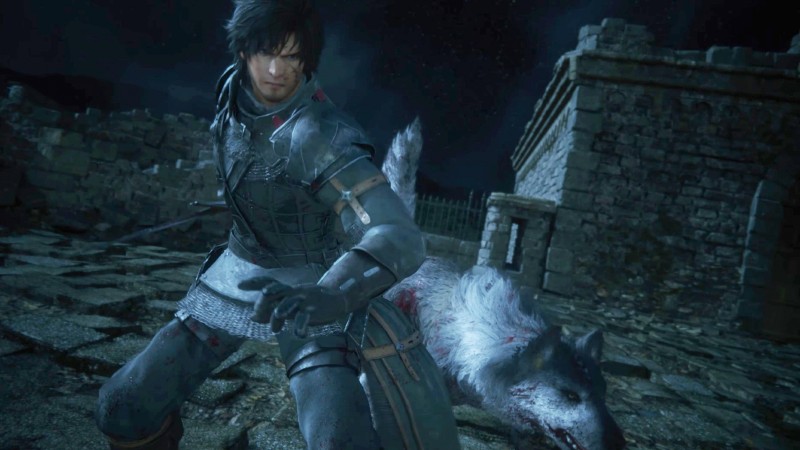
Final Fantasy XVI was recently shown to me, and I spent approximately two hours playing the game. The game is coming out this summer on PlayStation 5. I also learned a lot, such as how Creative Business Unit III approached accessibility for Final Fantasy XVI.
You won’t find difficulty settings like easy, medium, and hard. Instead, there’s a story-focused mode and an action-focused mode. While the story-focused mode is easier, the default difficulty setting for the action-focused will still be used. You can also equip special accessories to customize the difficulty of combat within any of these modes. I was able to use five – I’m not sure if there are more – and I liked how easy it was to swap them in and out, and the effects on my in-game combat actions were great. It’s quick, easy to understand, and effective.
These are the Five Accessories That I Have Previewed
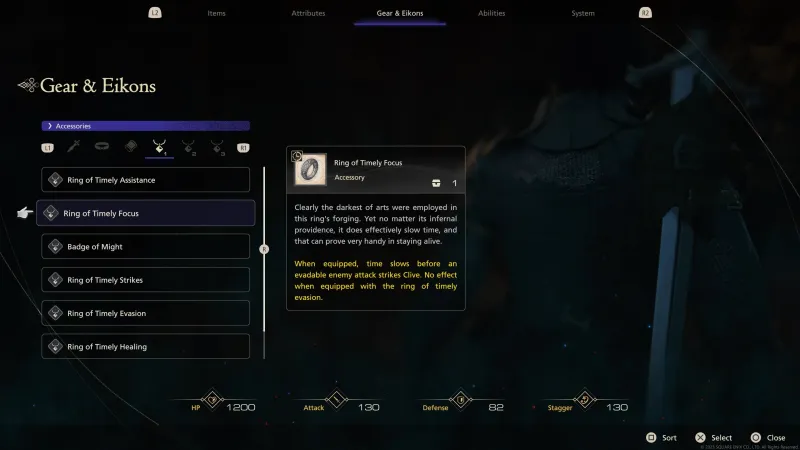
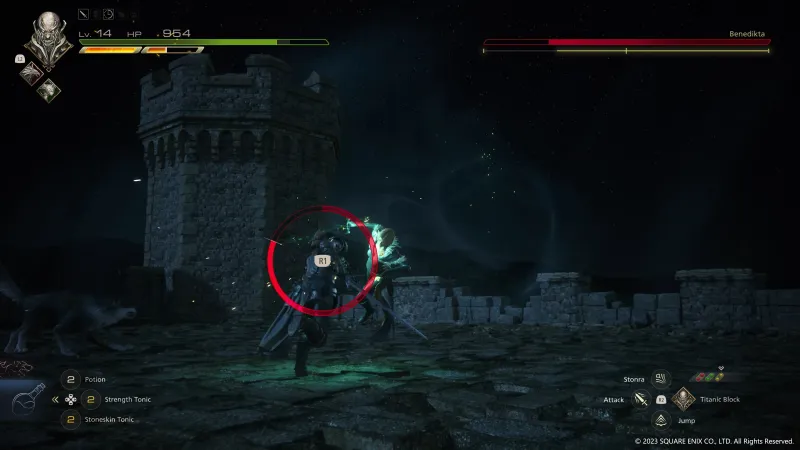
Ring of Timely FocusThis will cause time to slow down almost completely before you are attacked by an enemy. You’ll see an R1 button prompt appear on screen with a circle depleting around it to indicate how much time you have left. The dodge button R1 makes it easy to avoid enemy attacks.
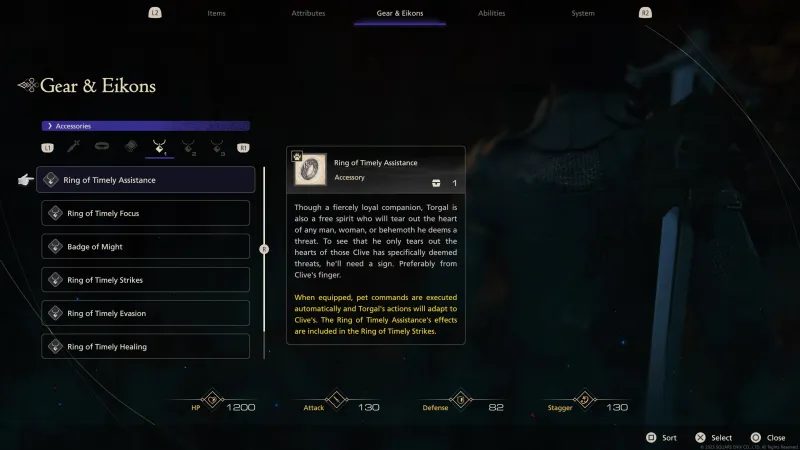
Ring of Timely HelpClive and Torgal are joined by Clive (yes, Torgal can be pet). You can manually select Torgal’s attacks, but wearing this ring lets Torgal attack automatically.
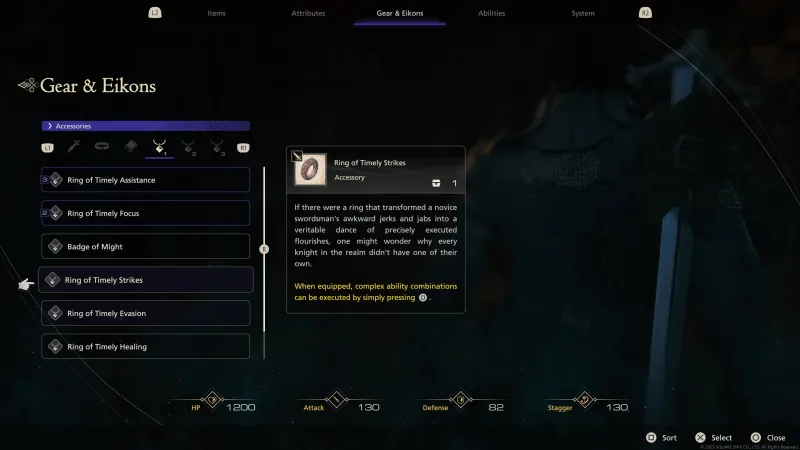
Ring of Timely StikesFFXVI Combat revolves around the creation of combos through mixing and matching different moves. You can simply press Square to activate the ring and Clive will execute all of your combos. You can basically use it to execute combat scenarios with one button.
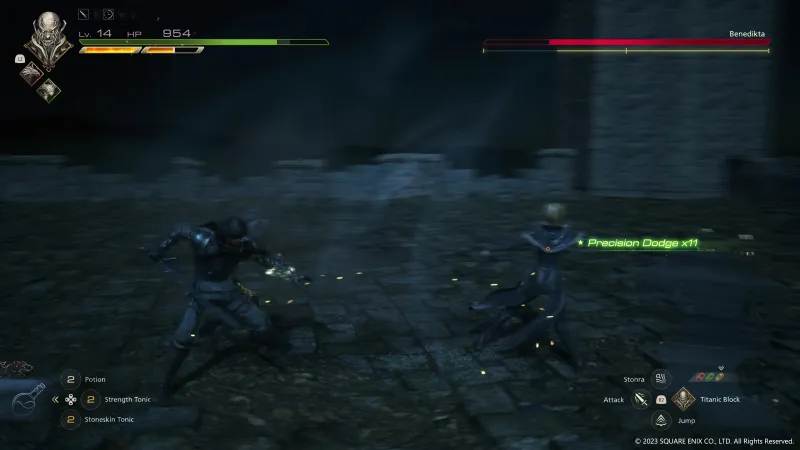
The Ring of Timely Evasion: Allows Clive to automatically dodge most attacks.
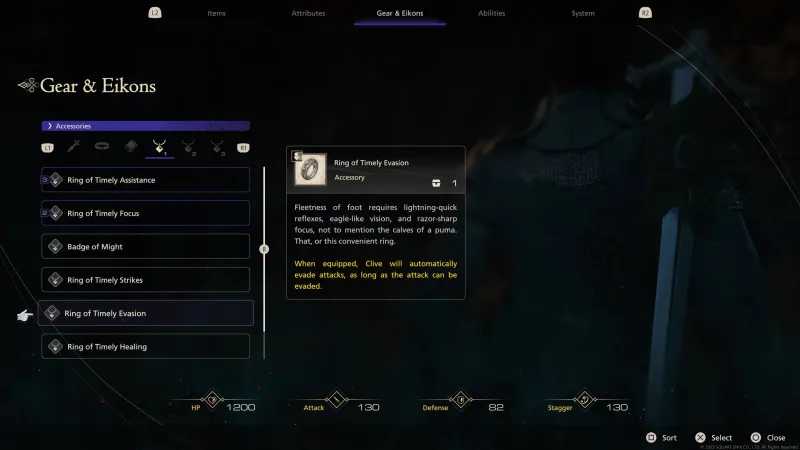
A Ring of Timely Healing: When Clive’s HP drops to a certain point, he will automatically use a potion to heal (so long as you still have potions).

During a group interview with FFXVI producer Naoki Yoshida, director Hiroshi Takai, and combat director Ryota Suzuki, the three discussed Creative Business Unit III’s approach to accessibility, especially as it relates to the different modes and accessories listed above.
“To talk about how we got to where we are with this and the idea of making the game as accessible as it is starts off with me being 50 years old,” Yoshida says through a translator. “I have pride as a gamer and so when you first play an action game – I love action games – it always says, ‘What [difficulty level]Do you wish to play? Easy, medium, or hard?’ And again, because I have pride as a gamer, I don’t want to choose easy. But then, of course…the first time you die, then it comes up, ‘Do you want to switch to easy?’
“I didn’t so I didn’t want players to feel that as well. We wanted to create a system where players wouldn’t be forced into this decision to choose between easy, medium, or hard. We wanted something that felt accessible but also customizable so that each player could create something that felt like a difficulty level that matched them and that was my first order to Takai.”
Takai then brings up the rings, citing that the first question he asked himself after Yoshida’s order was, “What type of players are there?”
“And so we listened to players that are maybe not as good at doing combos and attacking,” he says through a translator. “Some players maybe are not as good at dodging as other players. Each of these areas were not good for players, so we created a system to help them. And then for me, I told our battle director to make that happen.”
Suzuki is a veteran Capcom combat system designer who worked on many games, including Marvel vs. Capcom 2 (Devil May Cry 5), and other titles. According to him, his experience gave him a good understanding of what action gamers want.
“I know what to create for them…[but] you have a whole audience of players that are maybe not used to this actually,” he says through a translator. “You have fans of the series and fans of the RPG genre. And we couldn’t just make a game for heavy action users. We need to make this game for everyone…and make sure that we include those players as well, so my highest priority was, again, creating something that was accessible to those users who had not played a lot in the action game genre.”
The accessory system was born. Suzuki states that Creative Business Unit III, Suzuki’s Creative Business Unit III, believes this system makes the game more accessible for players who are not familiar with action games while still allowing action lovers to enjoy FFXVI.
“We have a high ceiling…but we also lower the floor to make it more accessible.”
Yoshida adds that rather than asking if players want an easy, medium, or hard experience, FFXVI asks, “Do you want to focus on the story or do you want to focus on action?” But from there, he says “it’s all about the player deciding how much story focus and how much action focus they want, and not going to the system and changing the difficulty from the system but changing the difficulty via customizing Clive himself.”
“By customizing [Clive], you can change the difficulty and customize that to your playstyle and I think this is a really, really good and fresh idea.”
I was also able to page through the game’s settings to see what other accessibility features players can expect. It’s important to note that this preview build was not finished and does not reflect the final game, though, so things could change. And if I had to guess, this was not all of the settings we’ll be seeing in the final game.
- SubtitlesSubtitles can be edited to adjust text size. To make the subtitles more prominent, you can add background. You can also set the subtitles to be heard impaired.
- Chatter Log: There’s a chatter log to view conversations that have taken place, which is great because a lot of conversation happened in the two hours of FFXVI I played – being able to catch back up on what I’ve forgotten, or read what I might have missed while fighting an enemy, is nice.
- Controller Layouts: I didn’t switch controller layouts but the option is there.
- Follow the Target: The camera is adjusted to adjust for a target that’s offscreen. This setting is presumably used to direct the camera towards the target.
- Visual Alerts: The on-screen waveform is described as visual representations of music and sound in-game. Visual alerts are customizable in terms of their size and level.
Other mainstays include the ability to adjust audio volume, camera controls and other settings. We won’t be able to see the entire range of settings before Final Fantasy XVI arrives on PlayStation 5 June 22.
#Square #Enix #Approached #Accessibility #Final #Fantasy





