
Analogue Pocket Review – A Retro Handheld Marvel
Introduction
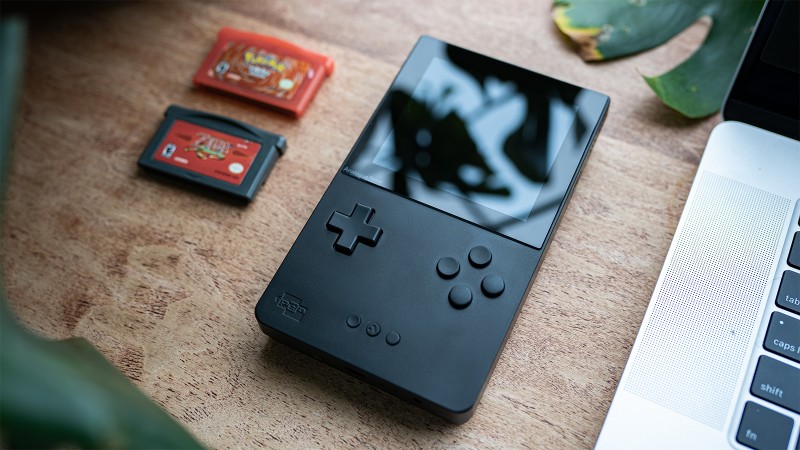
Analogue Retro-Hardware continues to be a celebration of videogame history, even as the industry presses for shorter loading times, raytracing-based rendering, or blockchain technology. With their latest release, the Analogue Pocket, the boutique manufacturer focuses on a fundamental pillar of retro gaming — handhelds.
The Analogue Pocket is a marvel of design, setting a new standard for premium video game handhelds, retro or otherwise. Best of all, it’s completely legal since it relies on authentic cartridges.
The device features a stunning 3.5” LCD screen with configurable scaling and display modes, an HDMI dock, a popular music creation suite called Nanoloop, and GB Studio game engine compatibility. It can play original Game Boy Color and Game Boy Advance cartridges without emulation. Sega Game Gear cartridges are also supported by the device via an adapter that is separately sold. TurboGrafx-16 and Neo Geo Pocket adapters will be available for purchase in 2022, at $29.99 each.
The Screen
The Pocket Screen Image Credit to Alex Van Aken| Image Credit: Alex Van Aken
The Screen
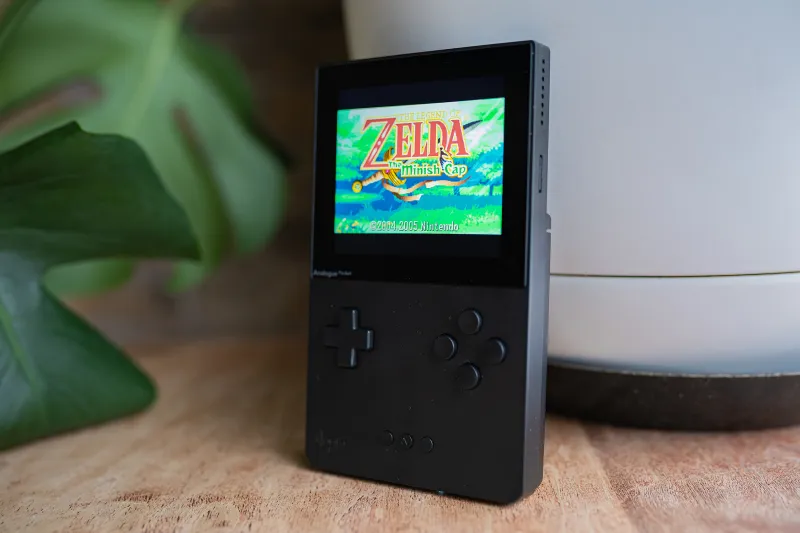
The scre is not only the library of games on a handheld, but it’s the key component of every device.en. The Pocket’s 3.5” LCD, which features a 1600×1440 resolution, is the sharpest I’ve seen in a handheld of its kind. Colors exude vibrancy and rich contrast, competing with — if not outperforming — the beautiful Displays with IPS that have become the standard in the Game Boy modding scene. ThThis device has Gorilla Glass, which is scratch-resistant and an adjustable refresh rate display that helps to prevent screen tears in games.
With its many picture modes, the Pocket convincingly recreates the visual artifacts that Nintendo’s handhelds were known for, including backlight LCD effects and subpixel patterns. For example, you can cycle through DMG, Pocket, and Game Boy Light picture profiles while playing first-generation cartridges, all faithfully replicating the original hardware’s iconic green hues and pixel grid layouts. If you prefer a clean image, you can use Analogue’s custom profile, defaulting to a gorgeous black and white image when not playing color-enabled titles. Analogue also allows you to adjust color palettes and frame blending. Sharpness/position can be adjusted as well, although I stayed with the default settings.
It’s truly a visual delight to play games on the Analogue Pocket. It’s a pleasure to swap out cartridges and see how each title is improved by the premium screen.
Handheld Experience
Analogue Pocket | Image Credit: Analogue, Inc.
Handheld Experience
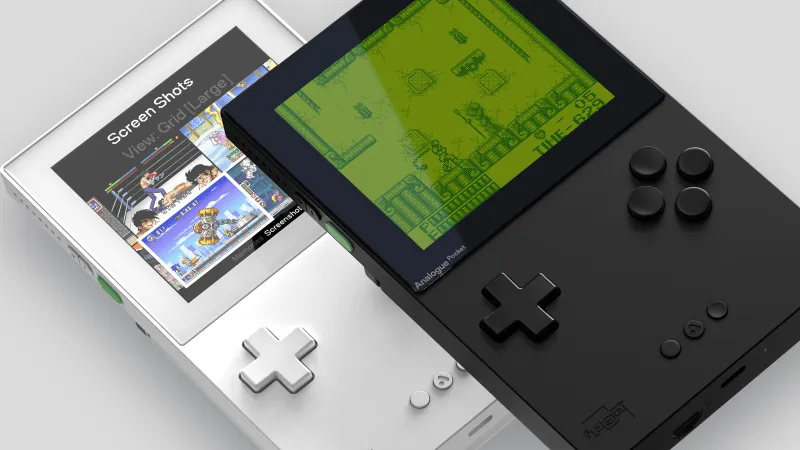
The Analogue Pocket looks familiar, resembling the Gameboy’s classic form factor, albeit with a few updates. The D-pad now has four face buttons, while a pair shoulder buttons are located on the opposite side of the back game cartridge slot. The new Analogue button, which calls the OS menu/navigation options, is situated between Select and Start. It is possible to remap each of these buttons according to your preference, which makes them easy and accessible.
The pastel green power button doubles as a Sleep and Wake option with a single press so that you can pick up games where you left off – effectively serving as a floating save state – vastly improving the handheld gaming experience over ones of the past. The rechargeable 4300mAh lithium-ion battery provides six to ten hours play time. You can charge the battery by docking it on the optional Analogue Dock or by the Pocket’s USB-C port, which I use to connect to my MacBook Pro is a portable power source that can be used on-the-go
While the Analogue Pocket provides an excellent experience, it’s not without flaws. While swapping games revealed a persistent bug that displayed a white error screen, even though the cartridge was clean and properly seated. This issue is easily fixed by running a power cycle. I am hoping Analogue will address the problem in future firmware updates.
Considering its name, it’s odd the Analogue Pocket doesn’t safely fit inside a standard-sized pants pocket. The Pocket Hard Case retails at $29.99 and can be used to protect the pocket from being stolen. It’s a rather bare-bones accessory — the case is just two interlocking pieces of hard plastic — but it at least keeps the Pocket from being scuffed while in transit. Unfortunately, the handheld doesn’t fit inside the case if the Game Gear adapter is attached, leaving me to carry the accessory loosely in my bag.
Dock It Like It’s Hot
Analogue Dock | Image Credit: Analogue, Inc.
Dock It Like It’s Hot
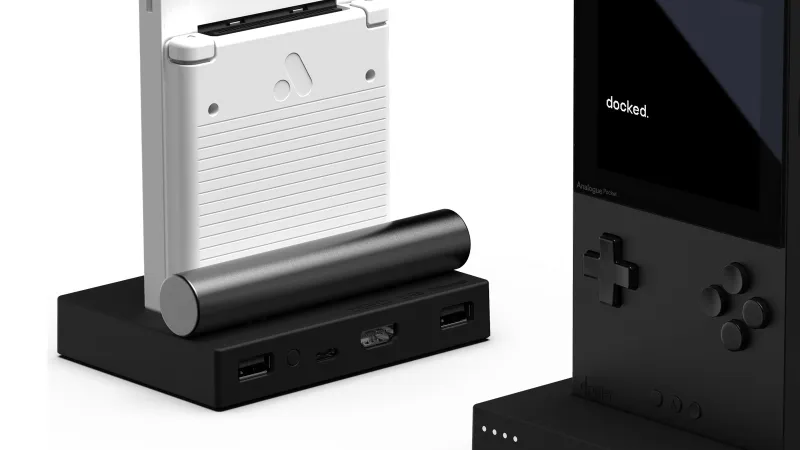
It Switch’s success proves that handheld gaming is better when players have options, and Analogue is smartly following suit. The optional Analogue Dock ($99.99) allows users to sit their Pocket on top to display the device’s image onto an HDMI-compatible display like a television or desktop gaming monitor. If you’re a streamer or content creator who is even mildly interested in spotlighting retro games, the Dock is a must-buy, as it works with capture cards and broadcast software like OBS with ease.
However, if you predominantly play handheld games, well, in your hands and on the go, then I’d say it’s okay to skip this purchase for now.
While it is novel to play Game Boy games on the big screen, I was disappointed by the device’s lack of features. For example, display mode switching is only available in handheld mode, and the Analogue Dock doesn’t pair with many controllers, either. The official websiteThe list only includes five compatible gamespads. (See below). Unfortunately, I tried to connect my Xbox Series X controller via the Xbox Wireless Adapter, but it didn’t work. While I lucked out and had a Switch Pro controller in my desk drawer, I’d like to see support for a more expansive list of controllers in the future.
GB Studio – So Many Possibilities
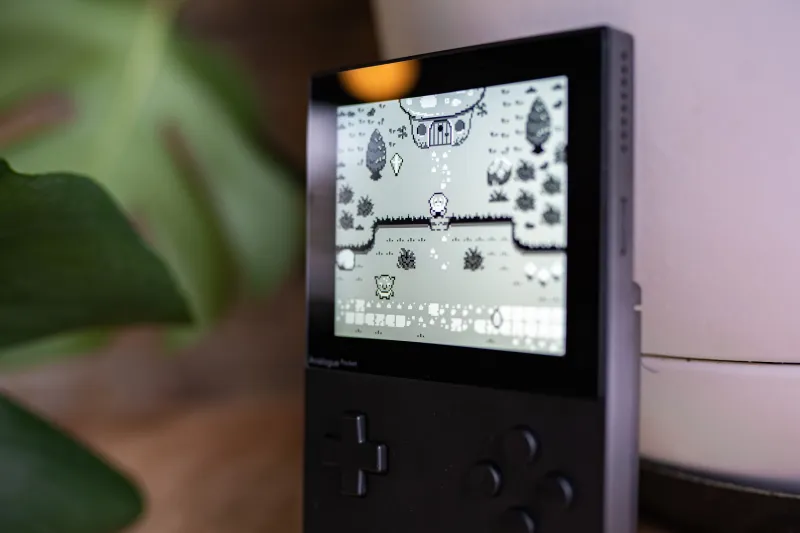
Gurb’s adventure running on Analogue OS| Image Credit: Alex Van Aken
GB Studio – So Many Possibilities
Analogue Pocket has one of its most interesting features: it can play any software that was created using the GB Studio. It is a drag and drop retro engine which unlocks a new set of games for independent developers.ers. Devs are already supporting the Pocket on Itch.io, which Here are some of the links you will find. However, highlights like Deadeus Opossum Country don’t yet work on the Analogue Pocket because their creators have to publish a new file type (.pocket) for the games to work on the device.
There’s also a possible workaround to create your own .pocket file if the game download includes the GB Studio project file (.gbsproj), like Gurb’s Adventure Pushingo provide, which I’ve detailed below alongside instructions for general GB Studio use. Please know you’ll likely encounter bugs by using this workaround, but it’s fun to explore the handheld’s possibilities while we wait for official developer support.
Oh! It was almost too late. Since the Analogue Pocket recognizes GB Studio titles as proper Game Boy releases, you can swap between its display modes to see how these modern indies might’ve looked back in the 90s on original hardware. It is so beautiful.
Nanoloop – Make music with Nanoloop
Make Music With Nanoloop
Nanoloop is an extremely popular music creator suite for gaming handhelds that has been widely used to make chiptune tracks since the 2000s. The software can seem daunting at first. However, if one has experience with digital audio workstations, or midi-based sequencing, you will find it easy to understand. Although it can seem daunting, I was able to quickly make beats from the referenced software. digital manualI had fun doing it. The sequencer is limited to four channels. This limitation allows for creativity, and I like the task of selecting which sounds should have priority within my tracks. Nanoloop’s synths, noise tracks, and drums are easy to use while making sounds. Suppose you’re interested in the process of making music, even at a beginner level. Nanoloop can be a good place to start. The Analogue Pocket even includes it!
Verdict
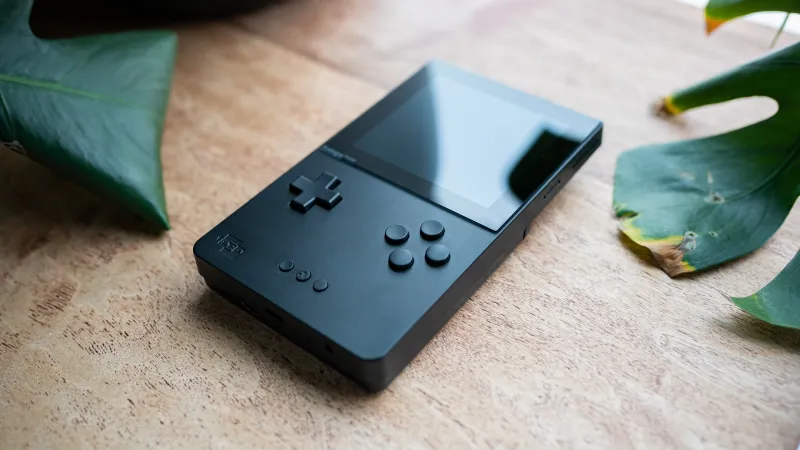
Photography By Alex Van Aken
Image credit: Alex Van Aken| Image Credit: Alex Van Aken
The verdict is A
The Analogue Pocket is a collector’s dream. The Analogue Pocket brings new life to an era that is loved by gamers, no matter how large or small. Although it has some quirks, the handheld provides unparalleled convenience to gamers who want to browse through the huge Game Boy Color, Game Boy Advance, Game Boy Advance, or Game Gear cartridges.
Publication
December 13,
Pricing
Analogue Pocket – $219.99
Analogue Dock – $99.99
#Analogue #Pocket #Review #Retro #Handheld #Marvel




